Sense Group
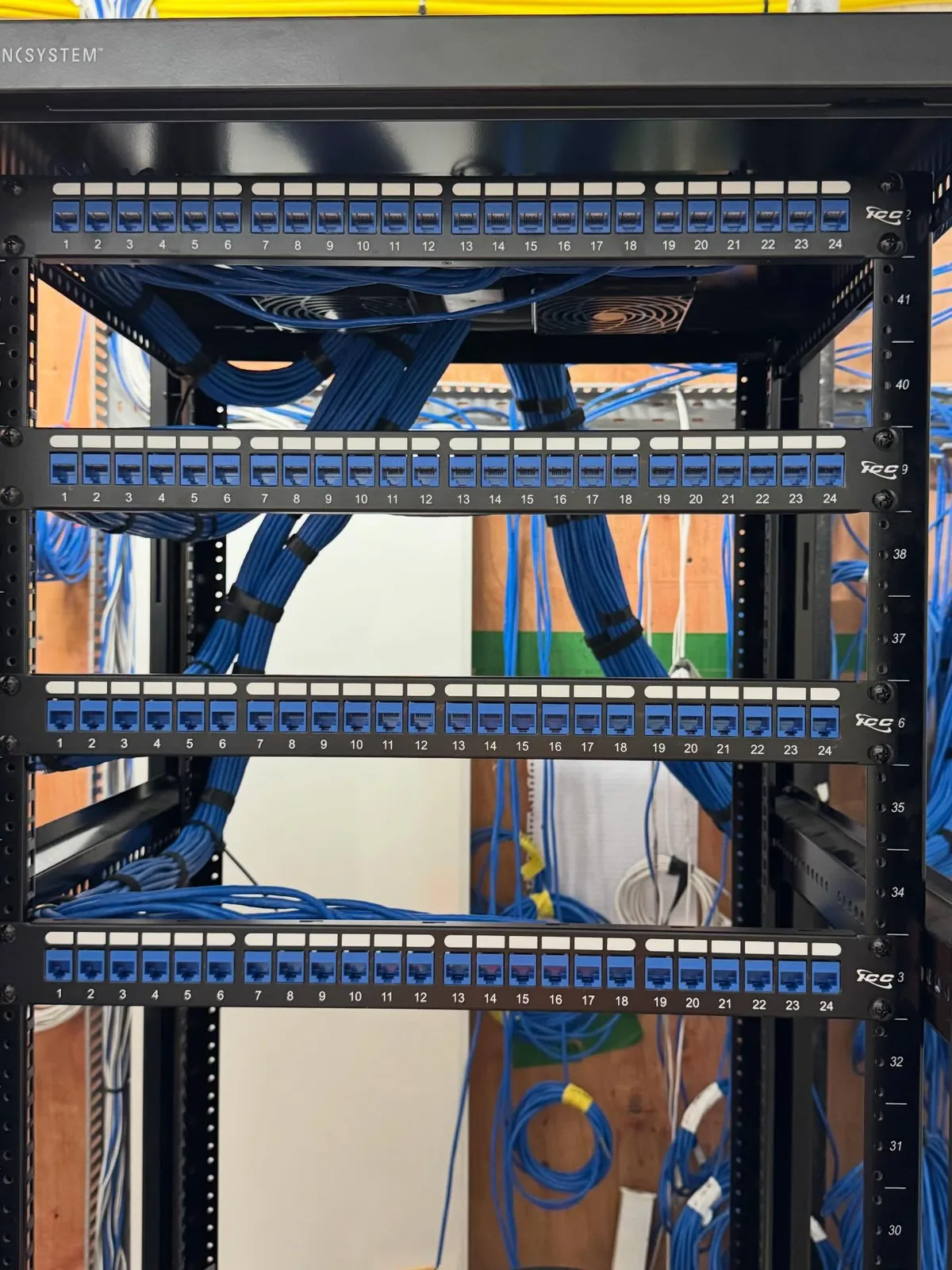
Open network rack with blue cabling, portrait

Greater Toronto Area and Muskoka

Enterprise IT Infrastructure and Cloud Consulting in the GTA and Muskoka

We assess, design, build and support the technology behind growing and multi-site organizations: the cabling and network, the server room, Microsoft 365 and Azure, identity and device security, and the managed support that keeps it all running. One team from the patch panel to the cloud, serving the Greater Toronto Area and Muskoka from our base in King City.

Assessments, Microsoft 365 and Azure, network and server room builds, managed IT. Free discovery call and site walk.

  • 14+years in IT and security
  • 1,600+projects delivered
  • 156Google reviews
  • Vendor-neutraladvice, no resale quotas
  • Licensedand insured technicians

IT consulting that does not stop at the switch port

Most consultants design the cloud and leave the cabling, the rack, the Wi-Fi and the cameras to somebody else. That gap is where projects stall. We have built the physical layer for 14 years, from certified Cat6 and fibre to server rooms, access points, access control and camera networks, and we carry the same job through Microsoft 365, Azure, identity and device management. One owner for the whole stack, one quote, one number to call when something breaks.

  • Free discovery call and site walk before any proposal
  • Fixed written quote for each phase, no open-ended hourly billing
  • Our own licensed technicians for the physical work, our engineers for the cloud
  • Documentation you own: diagrams, inventory, credentials, runbooks
Book a discovery call

Enterprise IT and cloud services for the GTA and Muskoka

Six practice areas, one team. Most engagements touch three or four of them, which is the point: nobody has to coordinate three vendors.

Owners, CFOs and operations leads without a CIO

Advisory and consulting

Independent advice on what to fix first, what to spend and what to leave alone. We write it down with a budget so the board can decide.

  • IT infrastructure assessments
  • Technology roadmaps
  • Architecture reviews
  • Standards and best practices
  • Implementation planning

Businesses with cyber insurance questionnaires to answer

Security

Identity, network, endpoint and recovery, set up to pass an insurer's checklist and to survive a real incident.

  • Identity management and MFA
  • Network security and segmentation
  • Endpoint protection and patching
  • Governance and policies
  • Backup and disaster recovery

Teams moving off on-prem servers or a messy tenant

Microsoft cloud

Migration, configuration and ongoing administration of the Microsoft stack, done so licences are used and nothing sits open to the internet.

  • Microsoft 365
  • Azure
  • Entra ID
  • Intune
  • Exchange, SharePoint and Teams

Companies drowning in manual steps and missed calls

AI and automation

Practical automation with a measurable result: an AI phone agent that answers after hours, a workflow that stops re-keying invoices, Copilot rolled out only after the data is locked down.

  • AI strategy and Copilot readiness
  • AI voice and phone agents
  • Workflow automation
  • Business process automation

New offices, plants, yards and multi-site networks

Enterprise infrastructure

The part most consultants subcontract, we install ourselves: certified cabling, racks, switching, Wi-Fi, firewalls, WAN links and the security devices that ride on them.

  • Multi-site networking
  • Wireless infrastructure
  • Structured cabling and fibre
  • Server rooms and racks
  • Site deployments and WAN connectivity

Organizations that want one number to call

Managed services

Monitoring, patching, help desk and vendor wrangling for a flat monthly fee, with quarterly reviews so the roadmap keeps moving.

  • IT support and help desk
  • 24/7 monitoring and alerts
  • Maintenance and patching
  • Infrastructure management
  • Vendor and ISP coordination

One page, two regions: the Greater Toronto Area and Muskoka

We do not run separate city pages for enterprise IT because the work is the same team, the same standards and the same documentation. What changes is the building, the internet and the people, and we plan for that.

Head offices, plants and multi-site businesses

Greater Toronto Area

Most of our enterprise work is in the GTA: head offices downtown and in Vaughan and Markham, warehouses and plants in Milton, Brampton, Mississauga and Oakville, construction and engineering firms with sites that move every season, clinics, dealerships and condo corporations. The common thread is more than one location, a Microsoft tenant that grew by accident, and a network nobody has drawn.

  • Office moves and fit-outs with day-one cutover
  • Microsoft 365 modernization and tenant clean-up
  • Network refresh across several sites in phases
  • Server room builds and cloud migration
  • Toronto
  • Mississauga
  • Brampton
  • Vaughan
  • Markham
  • Richmond Hill
  • Oakville
  • Burlington
  • Milton
  • Hamilton
  • Newmarket
  • Aurora
  • King City
  • Pickering
  • Oshawa
  • Kitchener
  • Guelph

Resorts, marinas, builders, clinics and municipal offices

Muskoka

Muskoka businesses run on seasonal staff, buildings spread across a property, and internet that a city consultant would not accept. We already install Starlink, Wi-Fi and cameras across Huntsville, Bracebridge, Gravenhurst, Muskoka Lakes, Lake of Bays and Georgian Bay, so we design the IT around what is actually there: Starlink Business as the primary or failover link, UniFi networks across lodges and docks, Microsoft 365 for staff who change every May, and remote management so a reset does not cost you a service call from the city.

  • Starlink plus wired network as the office backbone
  • Seasonal onboarding and offboarding in Microsoft 365
  • Point-to-point links between buildings on one property
  • Remote monitoring from King City, on site within the week
  • Huntsville
  • Bracebridge
  • Gravenhurst
  • Muskoka Lakes
  • Port Carling
  • Bala
  • Lake of Bays
  • Baysville
  • Dorset
  • Georgian Bay
  • Honey Harbour
  • Parry Sound
  • Orillia
  • Barrie

Typical engagements

What clients usually bring us, and roughly what each one involves. Most start with an assessment and become two or three of these over a year.

  • 01

    Enterprise office deployment

    A new office or fit-out, delivered as one job: certified cabling, rack and switching, Wi-Fi, firewall and WAN, meeting rooms, printers, the Microsoft 365 tenant and a day-one cutover with someone on the floor. Typically 4 to 8 weeks from drawings to move-in.

  • 02

    Microsoft 365 modernization

    Migration from on-prem Exchange, Google Workspace or a tenant that was never set up properly, into Microsoft 365 with Entra ID, MFA, Intune, SharePoint and Teams. Mail moves over a weekend; nobody loses a folder.

  • 03

    Infrastructure assessment

    Two to three weeks on site and in your systems: inventory of every device, licence and contract, a risk scorecard, and a prioritized roadmap with a budget. The report is yours whether or not we do the work.

  • 04

    Network refresh

    Replacement of end-of-life switches, firewalls and access points, VLANs for staff, guests, cameras and equipment, redundancy where downtime costs money, and a drawing of the result. Phased across sites so nobody stops working.

  • 05

    Technology standardization

    One standard for every site: hardware models, naming, images, network design, vendors and support. For organizations that grew by acquisition or one location at a time and now run six of everything.

  • 06

    Cloud migration

    File servers to SharePoint or Azure Files, line-of-business applications to Azure virtual machines, backups to Azure, and an honest list of what should stay on site. Costed per month before anything moves.

  • 07

    AI adoption

    Copilot readiness, starting with the data permissions most tenants get wrong, Power Automate workflows for approvals and invoices, and AI voice agents for phones. One pilot, one metric, then scale.

  • 08

    Security improvements

    MFA and conditional access everywhere, Intune compliance on every device, endpoint detection and response, tested backups, segmented networks for cameras and operational equipment, and an incident plan your insurer will accept.

Microsoft 365 and Azure, set up the way the licence intends

Most tenants we review pay for security features nobody turned on. This is the Microsoft stack we work in every week and what we do with each part.

ServiceWhat it does for youWhat we do with it
Microsoft 365Email, files, Office apps and collaboration for every staff member on a per-user licenceTenant setup or clean-up, licence right-sizing, migration from on-prem or Google, ongoing administration
Entra IDOne identity for every app and device, with multi-factor authentication and conditional accessMFA for all users, conditional access policies, separated admin accounts, single sign-on for line-of-business apps
IntuneEnrol, configure, patch and wipe laptops, desktops and phones from one consoleDevice enrolment, compliance policies, app deployment, encryption, remote wipe for lost devices and departures
Exchange OnlineBusiness email, calendars and shared mailboxes without a server to patchMail migration, anti-phishing and spam policies, shared mailboxes, retention and legal hold
SharePoint and OneDriveDocument libraries that replace the file server, with versioning and sharing controlsFile server migration, permission design, external sharing rules, backup
Teams and Teams PhoneChat, meetings and, with Teams Phone, your business phone system on the same platformMeeting room setup, Teams Phone with Canadian numbers, call queues and auto attendants, porting from legacy PBX
AzureServers, storage, backup and networking in Microsoft's cloud, paid monthlyLanding zone design, VM migration, Azure Backup and Site Recovery, site-to-site VPN, cost control
Microsoft DefenderEndpoint, email and identity protection built into the Microsoft licence you already pay forDefender for Business rollout, alert tuning, monitoring as part of managed services

We buy Microsoft licences at Microsoft's price with no markup, and we recommend by fit: UniFi, Cisco Meraki, Aruba and Fortinet on the network side, Microsoft on the cloud side, because that is what most Ontario businesses already run.

How an engagement runs

Five steps, each with a written deliverable, so you know where the project is and what you are paying for before the next step starts.

  1. 1

    Discovery

    A free call and site walk. We learn the business first: locations, staff, what breaks, what is planned, what the insurer and the auditors are asking for.

  2. 2

    Assessment

    Inventory of every device, licence, contract and credential, a risk scorecard and a short list of what to fix first. One to three weeks.

  3. 3

    Architecture

    The design, the bill of materials, a fixed quote per phase and a migration plan with cutover windows that fit your operation.

  4. 4

    Implementation

    Our own technicians build the physical layer and our engineers deliver the cloud work, in phases, after hours where needed, tested and documented.

  5. 5

    Support

    Managed services with monitoring, patching, help desk and quarterly reviews, or a clean handover to your internal team with everything documented.

What you own at the end of every engagement

  • Architecture document and a network diagram of every site
  • Asset, licence and contract inventory with renewal dates
  • Admin credentials in a password vault you own, not us
  • Runbooks for onboarding, offboarding and the most common failures
  • A 24-month roadmap with budget, reviewed every quarter
  • A named engineer and a written response time

Infrastructure we have built, from our own jobs

Racks, certified cabling, wireless and the security devices that ride on them, photographed on our projects across the GTA and cottage country. No stock photos.

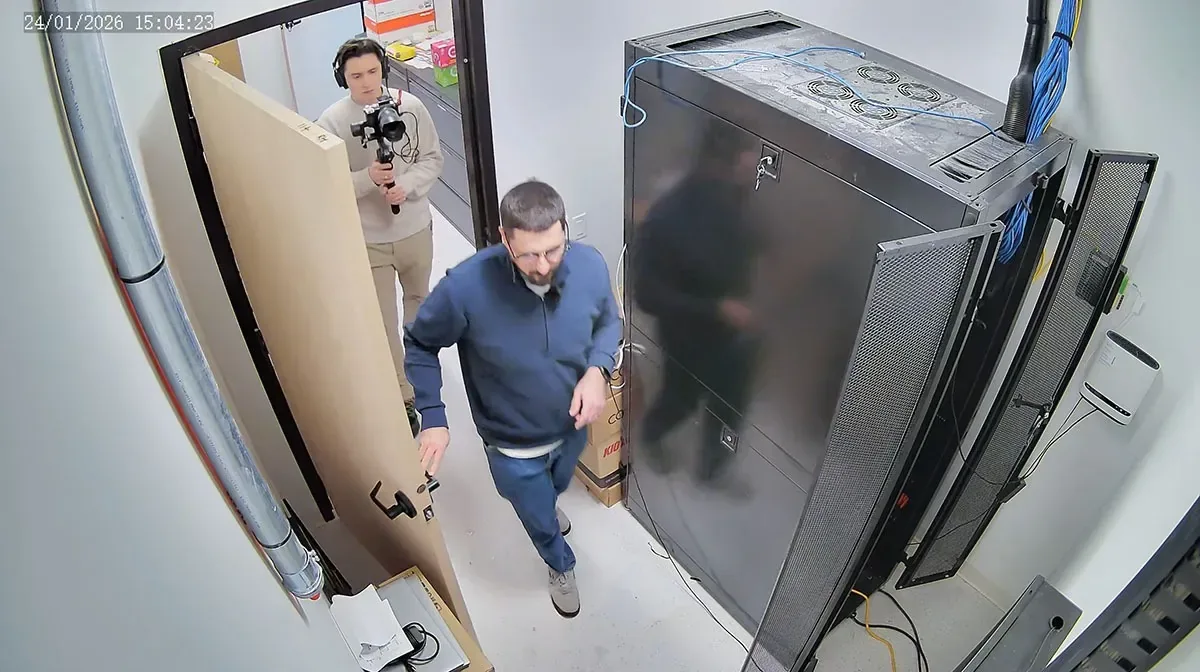
Overhead camera view of the server room rack
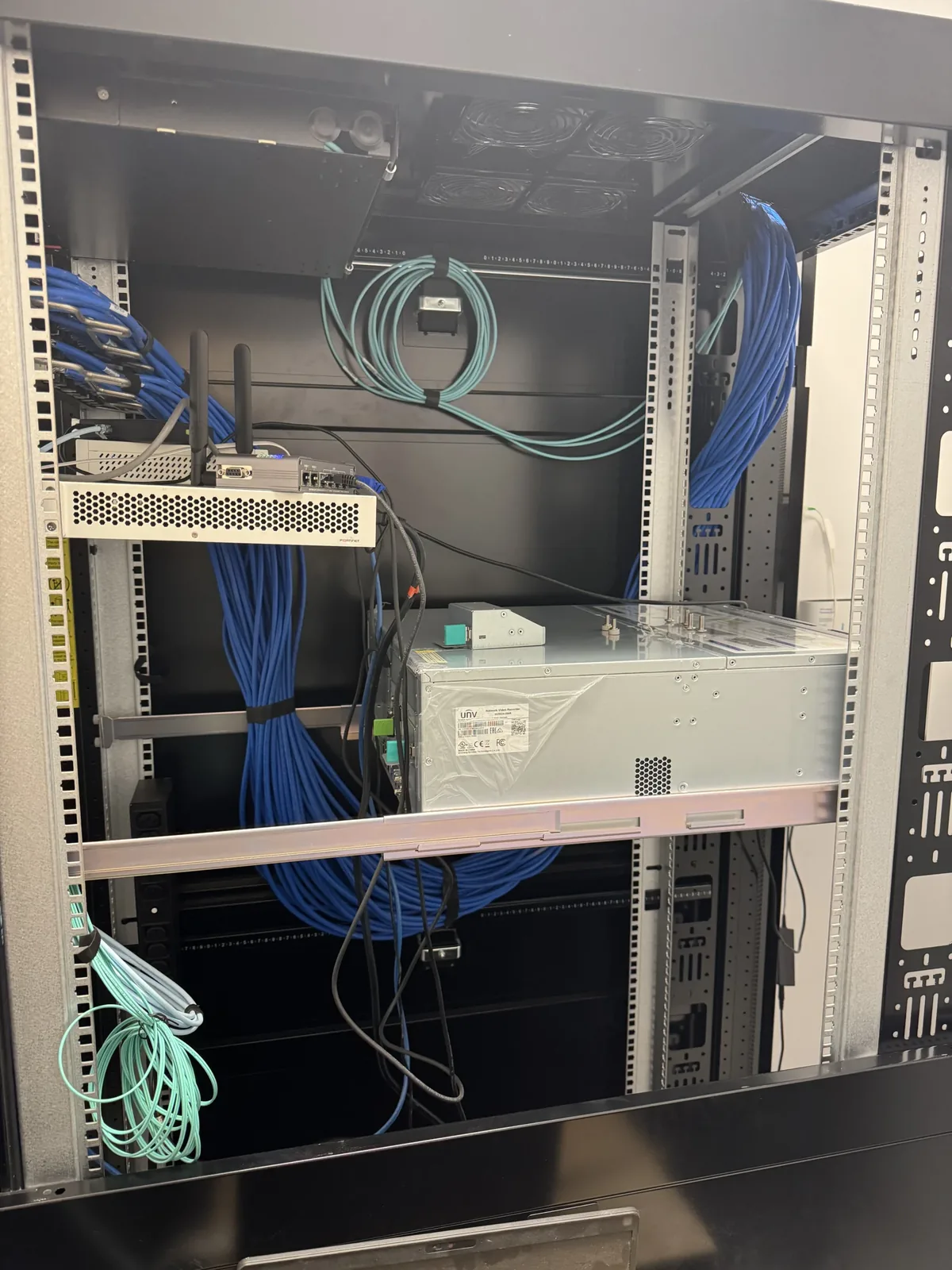
01The server room rack at the 270,000 square foot Milton facility we built from an empty shell in 30 days
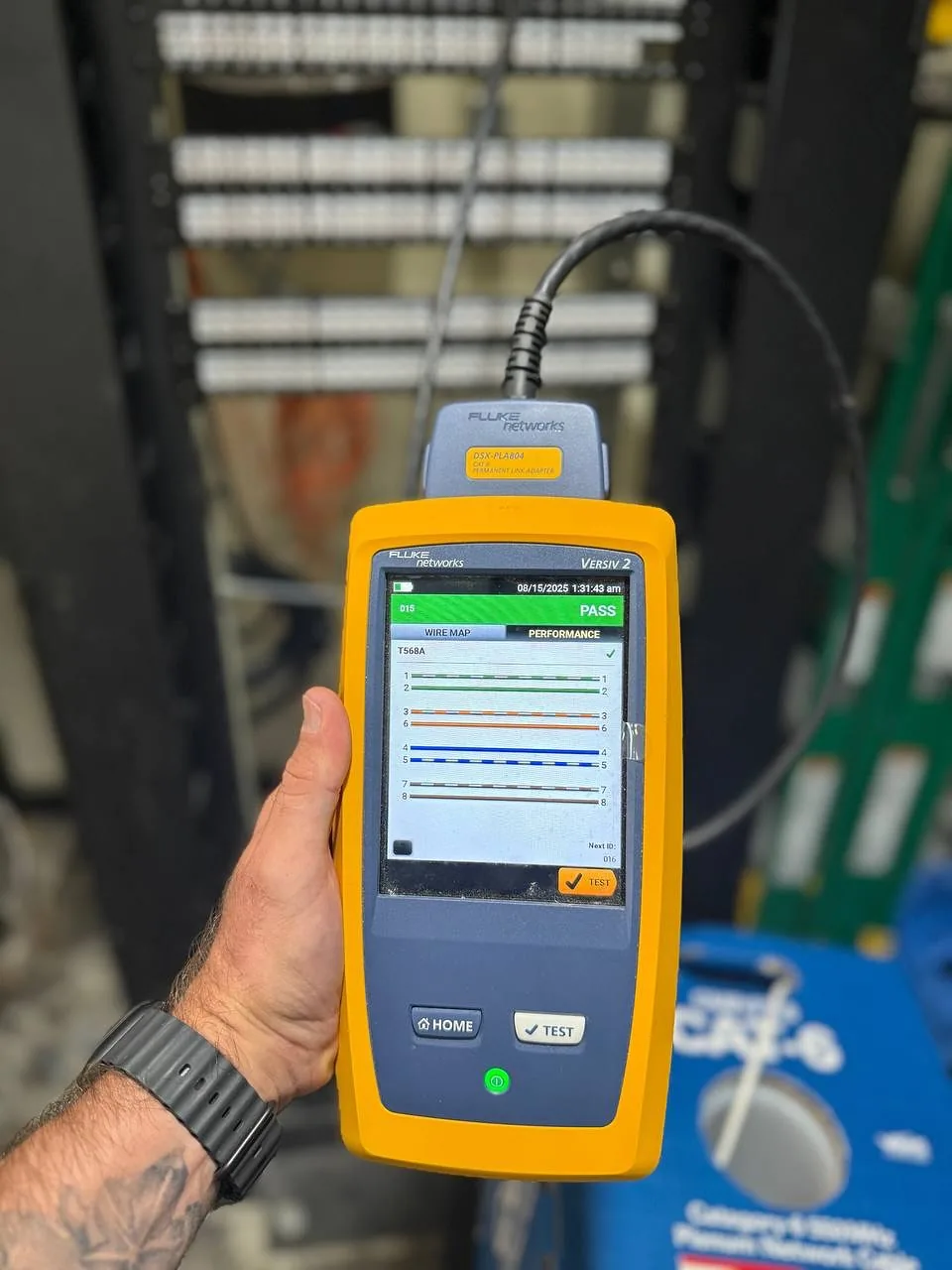
Fluke DSX Versiv 2 analyzer certifying a Cat6 line at a patch panel
02Every drop certified with a Fluke DSX Versiv and the report handed over with the network diagram
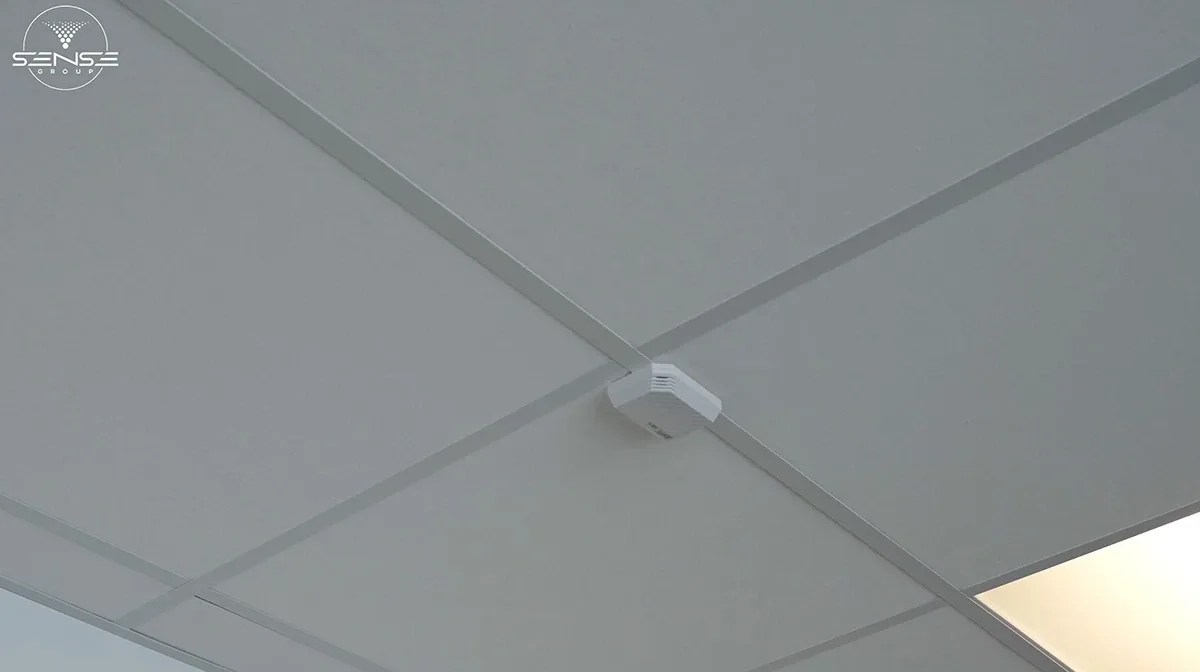
White UniFi access point on a drop ceiling
03UniFi access points on the office drop ceiling, part of the same network as the cameras and access control
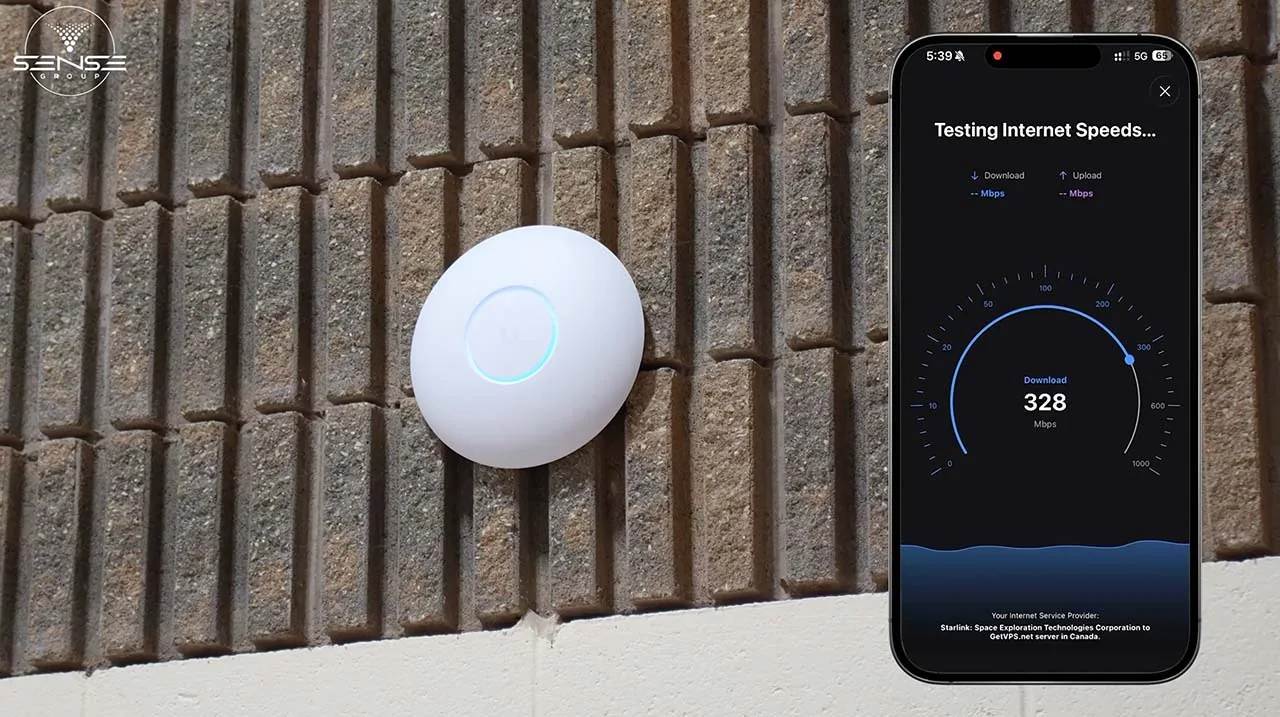
UniFi access point on the church wall with a phone speed test
04Speed test at a GTA church where Starlink is the only internet and a UniFi network carries the building
Open network rack with patch panels being populated with blue cabling
05Patch panels going into a rack during a commercial network build
Two technicians in high-visibility vests talking in a mechanical room
06Our technicians planning a riser route in a mechanical room before the cable goes in

6 photos from our installations. Click any photo to enlarge.

See our case studiesRead our Google reviews

What enterprise IT consulting costs

Ranges in Canadian dollars from recent quotes and the Toronto market. Microsoft licences are billed at Microsoft's price with no markup. Every phase gets a fixed quote after discovery.

  • Assessment fee credited against the project if we do the work
  • Physical work (cabling, racks, Wi-Fi) quoted per drop and per device
  • Managed services on a 12-month agreement, cancel with 60 days notice
Get a fixed quote
Typical consulting and managed IT prices
EngagementTypical price
IT infrastructure assessment, 10 to 50 staff, one site$1,800 to $4,500
Technology roadmap and architecture design$3,500 to $12,000
Microsoft 365 migration, per user (licences extra)$150 to $300
New office network build, per site, cabling to firewall$8,000 to $45,000
Azure landing zone and server migration$6,000 to $25,000
Managed IT services, per user per month$100 to $250
Managed Azure, 10 to 50 users, per month$500 to $1,500
Consulting and project engineering, per hour$150 to $225
30 daysfrom an empty 270,000 sq ft building to a live network, cameras, access control and intercom

A manufacturer in Milton took over a warehouse and production facility the size of 40 basketball courts with no cabling, no network and no security, and needed it operational in a month. We ran the structured cabling, built the server room and switching, and deployed 113 Uniview cameras, ICT Protege access control, BAS-IP intercoms and alarms on it, zone by zone, on time. That is the infrastructure layer most IT consultants subcontract. We build it.

A GTA church with no ISP: Starlink plus a UniFi network built for cameras and access control

Industries we work in

Multi-site, regulated or operations-heavy organizations get the most from one partner for IT and physical security. Where we have a dedicated page for the sector, the link takes you there.

Why organizations in the GTA and Muskoka choose Sense Group

Six reasons, each with what it means on a real project.

Business-first approach

We start with what the business needs to do next year, not with a product. Sometimes the answer is to keep the server.

Experienced project leadership

A named lead from discovery to support, the same person who walked your building, with a schedule you can hold us to.

Enterprise delivery mindset

Change windows, rollback plans, test sign-offs and documentation on every phase, whether the client has 15 staff or 500.

Scalable solutions

Designs that take a second site, a seasonal doubling of staff or an acquisition without starting over.

Vendor-neutral recommendations

We install UniFi, Cisco Meraki, Aruba, Fortinet, Uniview, Axis, ICT and Microsoft, and we recommend by fit. No resale quotas.

Long-term partnerships

Most clients stay on managed services after the project. Quarterly reviews keep the roadmap moving and the budget honest.

What clients say about working with us

From our 156 Google reviews.

One of the best technology based service calls I've experienced. Arrival was on time, work was very professional, the installer knew what he was doing and the job was completed in short order.

Dan O'TooleGoogle review, 2023

I have hired this company twice now, and so I feel I can highly recommend! The work is extremely well completed and professional, if these are the qualities you look for then do not hesitate to use them.

Irmina KozaGoogle review, 2023

We couldn't be happier with this service. From the booking process to installation, everyone we dealt with was so professional. Highly recommend!

Julie JonesGoogle review, 2023

All 156 Google reviews

Enterprise IT and cloud consulting: questions we get asked

Scope, Muskoka coverage, working with your existing IT, migration downtime, Azure versus on site, cost and security. If yours is not here, call us.

What does enterprise IT infrastructure consulting actually include?

An assessment of what you have (network, servers, cloud tenant, devices, licences, backups, security), a written plan for what to change and in what order, a fixed quote for each phase, and then the work itself. With us it also includes the physical layer: cabling, racks, switching, Wi-Fi and the security devices on the network, installed by our own technicians rather than a subcontractor.

Do you serve Muskoka or only the GTA?

Both, from the same team in King City. We are in Muskoka every week for Starlink, Wi-Fi and camera work in Huntsville, Bracebridge, Gravenhurst, Muskoka Lakes, Lake of Bays and Georgian Bay, and we take on IT and cloud projects for resorts, marinas, builders, clinics and municipal offices there. Day-to-day support is remote; site visits are scheduled within the week.

Can you work alongside our internal IT person or existing provider?

Yes, and we often do. A common arrangement is that we handle the project (an office build, a Microsoft 365 migration, a network refresh) and hand the result to your internal team with full documentation, or we take the infrastructure and security layer under managed services while your person handles the desktop support.

How much downtime does a Microsoft 365 migration cause?

Almost none if it is planned. Mailboxes sync in the background for days before the cutover, the switch itself happens over an evening or a weekend, and staff arrive to the same mail and folders in Outlook. SharePoint moves are done library by library with a read-only window on the old server.

Should we move our server to Azure or keep it on site?

It depends on the application. Email and files almost always belong in Microsoft 365. Accounting, ERP and shop-floor systems sometimes belong on a server on site, sometimes in an Azure virtual machine, and the deciding factors are licensing, latency, internet reliability and monthly cost. We cost both options before recommending.

What does managed IT cost compared with calling someone when things break?

Managed services for a small or mid-size business typically run $100 to $250 per user per month and include monitoring, patching, help desk and security tooling. Break-fix looks cheaper until the quarter where a server dies and a ransomware incident land together. We wrote a full comparison on the blog.

Do you handle Microsoft licensing?

Yes. We right-size the licences (most tenants we review are paying for plans nobody uses, or missing the one that includes Intune and Defender), buy them through Microsoft at Microsoft's price, and manage renewals. We do not mark up licences.

How do you secure a business against ransomware and account takeover?

Identity first: MFA on every account, conditional access, separate admin accounts and no shared passwords. Then devices: Intune compliance, encryption, Defender or another endpoint detection product, patching. Then the network: segmented VLANs so cameras and equipment cannot reach the file server, a managed firewall, no port forwards. Then tested backups you can actually restore from. We also fill in cyber insurance questionnaires with clients every month.

Do you also install the cabling, Wi-Fi and server room?

Yes, with our own technicians. We pull and certify Cat6, Cat6a and fibre, build racks and server rooms, install UniFi, Meraki and Aruba wireless, and deploy cameras, access control and intercoms on the same network. That is the main reason clients pick us over a consultancy that subcontracts the physical work.

How long does an infrastructure assessment take and what do we get?

One to three weeks depending on the number of sites. You get an inventory of every device, licence and contract, a network diagram, a risk scorecard, and a prioritized roadmap with budget ranges. The report is yours to keep and to put out to tender if you wish.

Can you standardize IT across several locations?

Yes. We define one standard for hardware, network design, naming, images, vendors and support, then roll it out site by site in phases. Businesses that grew by acquisition or opened one location at a time usually see the biggest gains, because every site had its own way of doing things.

What is the first step?

A free discovery call, then a site walk. Tell us the number of locations and staff, what runs the business, what breaks and what is planned. We will tell you honestly whether you need a project, a managed services agreement, or just two days of clean-up.

Read our comparison of managed IT services and break-fix support

Request a consultation

Tell us how many locations and staff you have, what runs the business today and what is planned. We will book a discovery call, walk the site, and tell you honestly whether you need a project, a managed services agreement or two days of clean-up.

  • Discovery call and site walk at no charge
  • Fixed written quote for each phase
  • Cabling to cloud delivered by one team
  • Serving the Greater Toronto Area and Muskoka
(249) 535-4347 WhatsApp us [email protected] 2200 King Rd, King City, ON L7B 0M6

We reply within one business day.